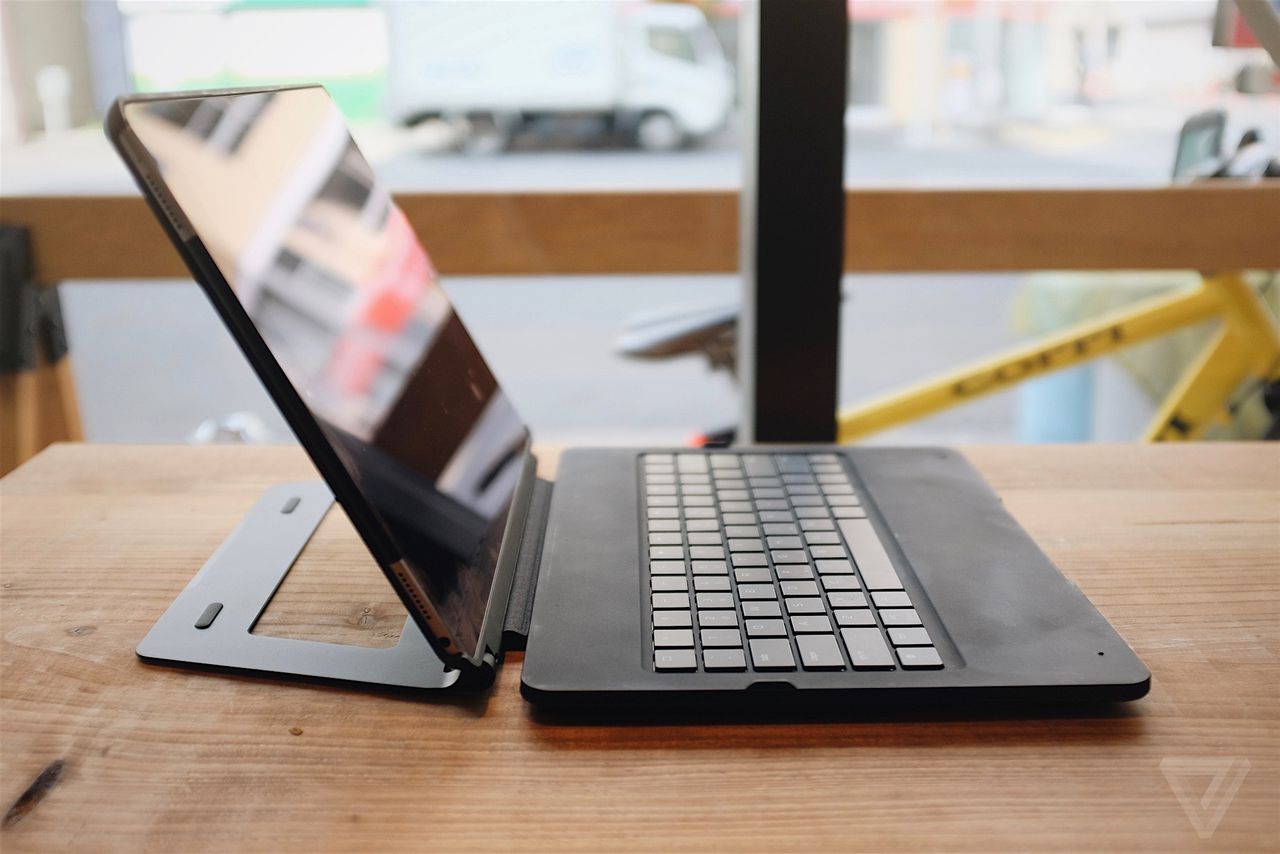

The iPad Pro Mechanical Keyboard: Unleashing Typing Precision and Productivity
The iPad Pro, a powerhouse of portable computing, has transcended its initial perception as a tablet for consumption. With advancements in software like iPadOS and the increasing power of its M-series chips, the iPad Pro is now a formidable tool for content creation, coding, and even serious writing. However, for many users, the on-screen keyboard, while convenient, lacks the tactile feedback, accuracy, and speed essential for extended typing sessions. This is where the iPad Pro mechanical keyboard enters the picture, offering a significant upgrade for those seeking a desktop-class typing experience on their portable powerhouse. This article delves deep into the world of iPad Pro mechanical keyboards, exploring their benefits, types, key features to consider, popular options, and how to integrate them seamlessly into your workflow.
Why Choose a Mechanical Keyboard for your iPad Pro? The Tangible Advantages
The fundamental difference between a mechanical keyboard and a traditional membrane keyboard lies in their switch technology. Membrane keyboards rely on rubber domes that press down on a circuit board. This often results in a mushy, less responsive feel. Mechanical keyboards, on the other hand, utilize individual mechanical switches beneath each keycap. These switches provide distinct tactile feedback, audible clicks, and a satisfying actuation that significantly enhances the typing experience. For iPad Pro users, this translates to several key benefits:
- Superior Typing Speed and Accuracy: The crisp, consistent actuation of mechanical switches allows for faster and more precise keystrokes. This reduces typos and the need for constant correction, boosting overall productivity.
- Enhanced Tactile Feedback and Comfort: The distinct bump or click of mechanical switches provides confirmation that a keystroke has registered. This reduces the tendency to bottom out keys (pressing them all the way down), leading to less finger fatigue during prolonged typing sessions.
- Durability and Longevity: Mechanical switches are generally rated for tens of millions of keystrokes, far exceeding the lifespan of most membrane keyboards. This makes them a long-term investment for dedicated users.
- Customization and Personalization: The world of mechanical keyboards is rich with customization options. Users can choose from a wide array of switch types (linear, tactile, clicky) to find the perfect feel, and even swap out keycaps to personalize the aesthetics.
- Reduced Strain and Ergonomics: The act of typing on a mechanical keyboard can be more deliberate and less forceful, potentially reducing strain on wrists and fingers over time. While not a primary ergonomic device in itself, the improved typing feel can contribute to a more comfortable experience.
- A More Engaging and Satisfying Typing Experience: For many, the sound and feel of a mechanical keyboard are simply more enjoyable. This can transform mundane typing tasks into a more engaging and even therapeutic activity.
Understanding the Landscape: Types of iPad Pro Mechanical Keyboards
When searching for an iPad Pro mechanical keyboard, you’ll encounter a few distinct categories, each with its own set of pros and cons:
-
Dedicated Mechanical Keyboard Cases: These are the most integrated solutions. They typically feature a built-in mechanical keyboard that attaches directly to your iPad Pro, often with a protective case and stand functionality. These offer the most seamless experience, transforming your iPad into a mini laptop.
- Pros: All-in-one solution, excellent portability, often designed to perfectly complement the iPad Pro’s aesthetic and functionality.
- Cons: Can be bulkier than standalone options, limited switch choice (manufacturers often pre-select switch types), potentially more expensive.
-
Standalone Mechanical Keyboards with iPad Connectivity: These are traditional mechanical keyboards that connect wirelessly (via Bluetooth) or wired (though less common for iPad Pro due to port limitations) to your iPad Pro.
- Pros: Wider variety of switch types and layouts, often more affordable than integrated solutions, allows for flexible desk setup with your iPad.
- Cons: Requires separate carrying and storage, less integrated than keyboard cases, may require a separate stand for optimal iPad viewing angle.
-
DIY or Modified Keyboards: For the truly enthusiast, it’s possible to adapt certain compact mechanical keyboards to work with an iPad Pro, often involving custom firmware or adapters. This is a niche area and generally not recommended for the average user.
Key Features to Consider When Choosing Your iPad Pro Mechanical Keyboard
With the growing popularity of mechanical keyboards, manufacturers are offering a range of features. To make an informed decision, consider the following:
-
Switch Type: This is arguably the most crucial factor. The three main categories are:
- Linear: Smooth, consistent travel with no tactile bump or audible click. Ideal for fast typists who prefer a silent experience. Examples include Cherry MX Red, Gateron Red, Kailh Red.
- Tactile: Features a noticeable bump during the keypress, providing feedback without an audible click. Good for those who want confirmation of actuation without the noise. Examples include Cherry MX Brown, Gateron Brown, Kailh Brown.
- Clicky: Offers both a tactile bump and an audible click sound. Provides the most distinct feedback, favored by some for its satisfying "typewriter-like" feel. Examples include Cherry MX Blue, Gateron Blue, Kailh Blue.
- Consider your environment: If you’re in a shared workspace or often type late at night, clicky switches might not be the best choice.
-
Connectivity:
- Bluetooth: Essential for wireless connectivity with the iPad Pro. Look for reliable Bluetooth 5.0 or later for stable connections and lower latency.
- USB-C Passthrough/Charging: Some integrated keyboards offer a USB-C port that can pass through data and even charge your iPad Pro, simplifying your cable management.
-
Layout and Size:
- Full-size: Includes a numeric keypad and function row. Offers the most functionality but is the bulkiest.
- Tenkeyless (TKL): Lacks the numeric keypad, making it more compact.
- 60% or 65%: Significantly smaller layouts that omit function keys, arrow keys, and navigation clusters, often accessed via a Function (Fn) key. These are ideal for maximum portability but require a learning curve.
- Consider your workflow: If you frequently use the numeric keypad, a full-size or TKL layout is essential. For on-the-go typing, a smaller layout might be preferable.
-
Build Quality and Materials: Look for keyboards constructed with durable materials like aluminum or high-quality ABS plastic. The keycaps themselves are also important; PBT keycaps are generally more durable and resistant to shine than ABS keycaps.
-
Backlighting:
- White LED: Basic, functional illumination.
- RGB Backlighting: Customizable backlighting with millions of color options. Can enhance aesthetics and improve visibility in low-light conditions.
- Consider if you need it: Backlighting can consume battery power, so if battery life is a top priority, you might opt for a non-backlit option.
-
Keycap Profile: The shape and height of keycaps can affect typing comfort and feel. Common profiles include Cherry, OEM, SA, and DSA. Experimentation is key to finding your preference.
-
Battery Life: For Bluetooth keyboards, battery life is crucial. Look for keyboards with long-lasting batteries, especially if you plan to use them extensively on the go. USB-C charging is also a convenient feature.
-
Compatibility: Ensure the keyboard is compatible with your specific iPad Pro model and iPadOS version. Most modern Bluetooth keyboards will work, but it’s always wise to check.
-
Palm Rest: Some integrated keyboard cases include a built-in palm rest for added comfort during long typing sessions.
-
Trackpad: Some advanced keyboard cases integrate a trackpad, further blurring the lines between a tablet and a traditional laptop.
Popular iPad Pro Mechanical Keyboard Options and Considerations
While the market for dedicated iPad Pro mechanical keyboard cases with genuine mechanical switches is still developing compared to the vast desktop mechanical keyboard market, some notable options and approaches exist:
-
Brands known for mechanical keyboards venturing into tablet accessories: Companies like Keychron have started to offer Bluetooth mechanical keyboards that, while not always integrated cases, can be paired with an iPad Pro and used with a separate stand. These often provide a wider selection of switches and layouts.
-
Third-party keyboard cases with mechanical switch feel: It’s important to distinguish between keyboards that truly use mechanical switches and those that mimic the feel. Some premium tablet keyboards might offer a more tactile and responsive membrane experience, but they are not technically mechanical. Always check the product specifications carefully.
-
The DIY Approach (for the adventurous): For users comfortable with a bit of tinkering, some compact mechanical keyboards (like certain 60% or TKL models) with excellent Bluetooth connectivity can be paired with an iPad Pro. This often involves purchasing a separate iPad stand and a carrying case for the keyboard. This approach offers the most customization in terms of switches and layout but requires more effort to set up.
Integrating Your iPad Pro Mechanical Keyboard into Your Workflow
Once you’ve chosen your mechanical keyboard, here’s how to maximize its potential with your iPad Pro:
- iPadOS Keyboard Shortcuts: Familiarize yourself with iPadOS keyboard shortcuts. They are essential for efficient navigation, text editing, and application switching. Common shortcuts include Cmd+Tab for app switching, Cmd+Space for Spotlight search, Cmd+C for copy, Cmd+V for paste, Cmd+Z for undo, and Cmd+Shift+3 for screenshots.
- External Trackpad Integration: If your keyboard case doesn’t have a trackpad, consider using Apple’s Magic Trackpad or a similar Bluetooth trackpad. This, combined with a mechanical keyboard, offers a near-desktop computing experience.
- Customization with Shortcuts Apps: Utilize apps like Shortcuts to create custom workflows and assign them to keyboard shortcuts. This can automate repetitive tasks and further boost your productivity.
- App Optimization: Many apps are optimized for keyboard and trackpad input. Explore the preferences and settings of your favorite productivity apps to discover their keyboard-centric features.
- Ergonomic Setup: Invest in a good iPad stand that positions your screen at eye level. This, combined with your mechanical keyboard, will create a more ergonomic workstation. Consider an external monitor for an even more expansive setup.
- Learning Curve for Compact Layouts: If you opt for a 60% or 65% keyboard, dedicate time to learning the Fn layer. This will become second nature with practice.
The Future of iPad Pro Mechanical Keyboards
As the iPad Pro continues its evolution as a powerful computing device, the demand for premium input peripherals will undoubtedly grow. We can anticipate:
- More integrated mechanical keyboard cases: Manufacturers will likely offer more sophisticated all-in-one solutions that truly embrace mechanical switch technology.
- Greater switch variety in integrated solutions: The current limited choice of switches in integrated cases may expand.
- Further refinements in Bluetooth connectivity: Lower latency and more stable connections will be key.
- Increased focus on portability and design: Balancing the tactile benefits of mechanical switches with the inherent portability of the iPad Pro will be a continuous design challenge.
Conclusion: Elevating Your iPad Pro Experience
The iPad Pro mechanical keyboard is more than just an accessory; it’s a gateway to unlocking the full potential of your tablet for serious work. By offering superior typing precision, comfort, and durability, it transforms the iPad Pro from a consumption device into a powerful productivity tool. Whether you opt for a sleek integrated keyboard case or a versatile standalone mechanical keyboard, the tangible benefits of mechanical switches will undoubtedly elevate your iPad Pro experience, making every keystroke a more satisfying and efficient endeavor. For writers, coders, students, and professionals who spend significant time typing, investing in an iPad Pro mechanical keyboard is a decision that promises to pay dividends in terms of speed, accuracy, and overall enjoyment of your digital workflow.

